RoboLink.
Control your robot wirelessly. Flutter app with drag-and-drop UI editor, MJPEG streaming & open-source Arduino Library.
- Type
- Hardware & IoT
- Role
- Solo build
- Stack
- Flutter, Dart, Android SDK, Arduino

- 1K+
- downloads
- 5.0★
- Google Play rating
Challenge
Makers building Arduino and ESP32 robots each write a throwaway controller app, because no general-purpose one lets them lay out their own controls.
Approach
A Flutter app with a drag-and-drop widget editor — joysticks, sliders, D-pads, gauges — over Wi-Fi UDP and Bluetooth transports, plus an open-source Arduino library so the firmware side is a single include.
Outcome
- 1,000+ Play Store downloads, a 5.0★ rating and a public product site
- Library accepted into the official Arduino Library Manager registry
- Live MJPEG camera streaming from ESP32 hardware
Overview
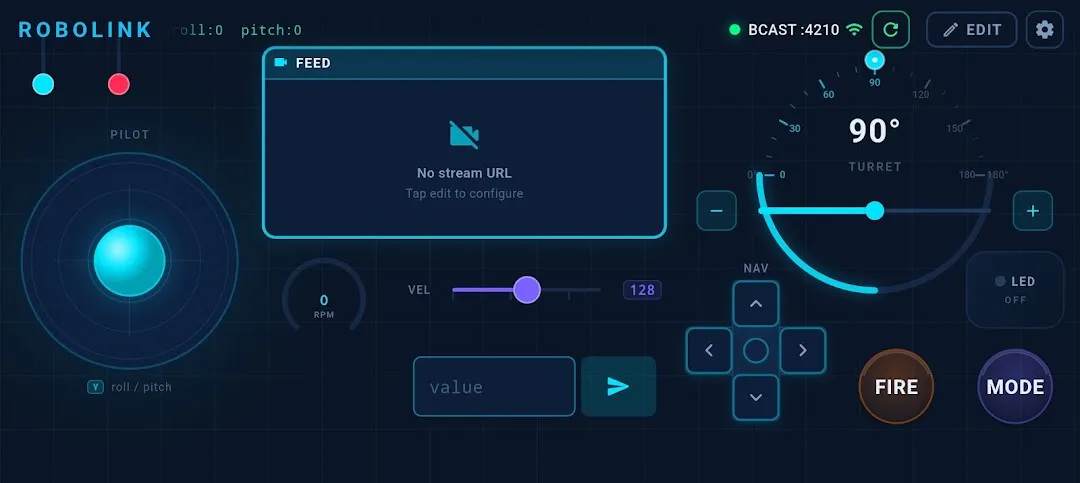
RoboLink connects your phone to Arduino-based robots via Wi-Fi & Bluetooth — with a fully customizable controller interface. Built with Flutter, it features a drag-and-drop visual widget editor, live MJPEG camera streaming, multiple widget types (joysticks, buttons, sliders, D-pads, XY pads, gauges, triggers), layout save/load with preset templates, and automatic reconnection. Published on Google Play Store with an open-source Arduino Library on the official registry.
- 1,000+ downloads and a 5.0★ rating on Google Play
- Open-source Arduino Library on official registry
- 3 transport options: Wi-Fi UDP + Bluetooth Classic
- Live MJPEG camera streaming with flip/mirror
- Supports dozens of Arduino boards
What I built
- 01
Drag-and-Drop Visual Widget Editor
- Customizable analog joystick with axis inversion & dead zones
- Toggles, buttons, sliders, D-pads, XY pads, gauges, triggers
- Layout save/load with preset templates
- 02
Live MJPEG Camera Streaming
- Real-time camera feed from ESP32 camera
- Flip/mirror options
- Low-latency video transmission
- 03
3 Transport Options
- Wi-Fi UDP communication
- Bluetooth Classic support
- Automatic reconnection with device history
- 04
Ready-Made Presets
- RC Car controller layout
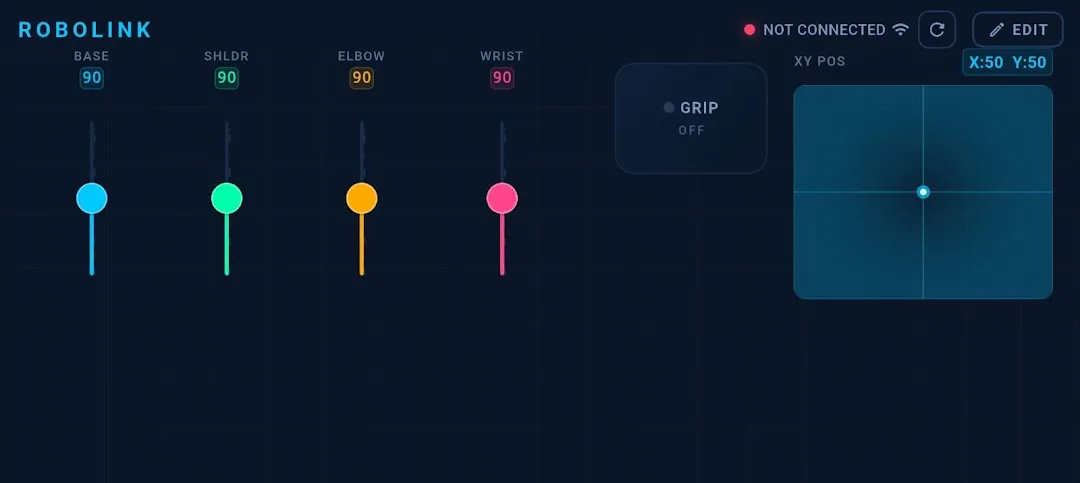
- Robotic Arm controller layout
- Onboarding walkthrough with interactive tutorials
On Google Play
Controller with live camera feed Robotic arm layout 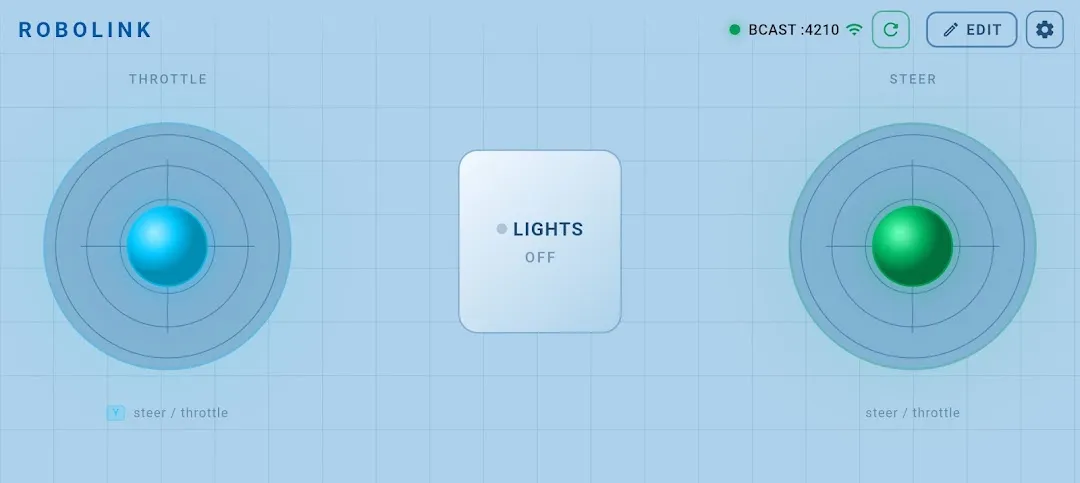
RC car layout 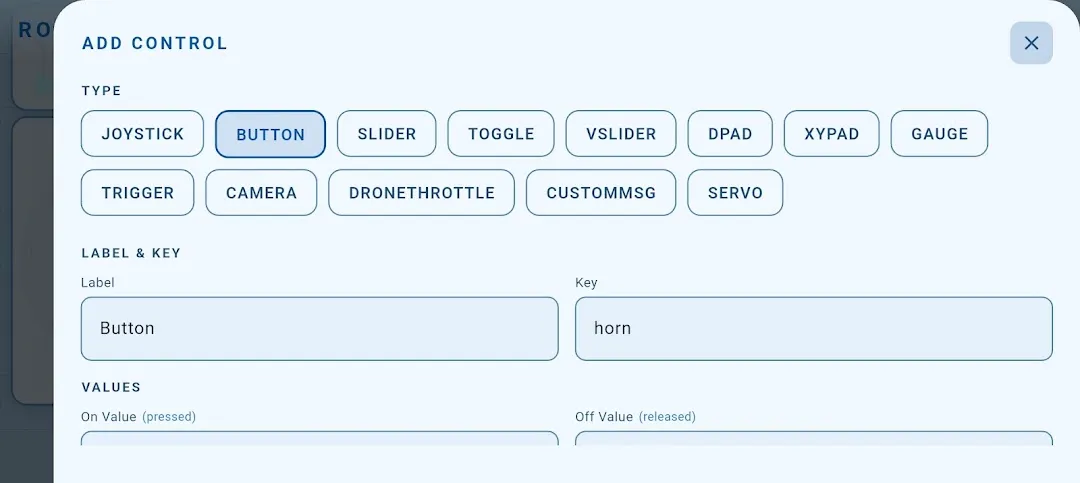
Add a control 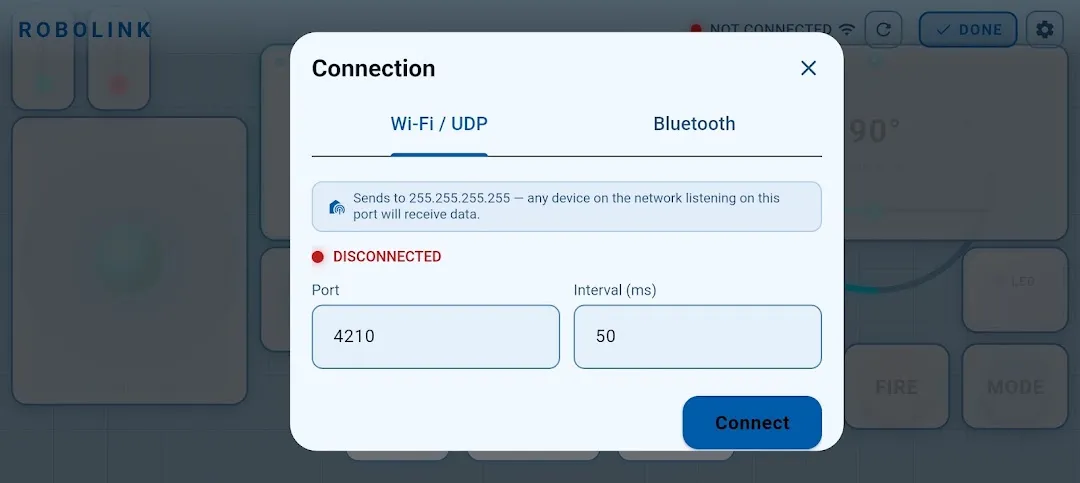
Wi-Fi and Bluetooth connection 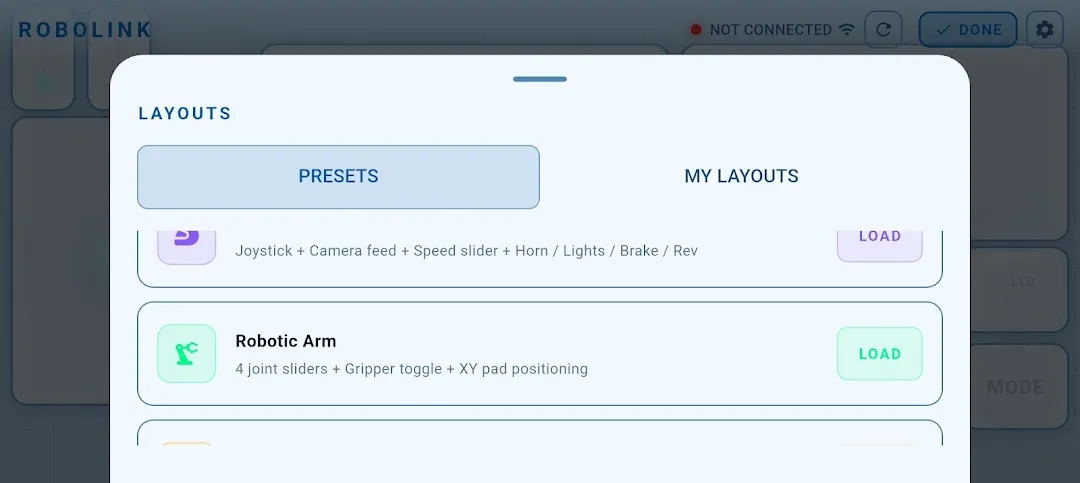
Layout presets
Controller Layouts
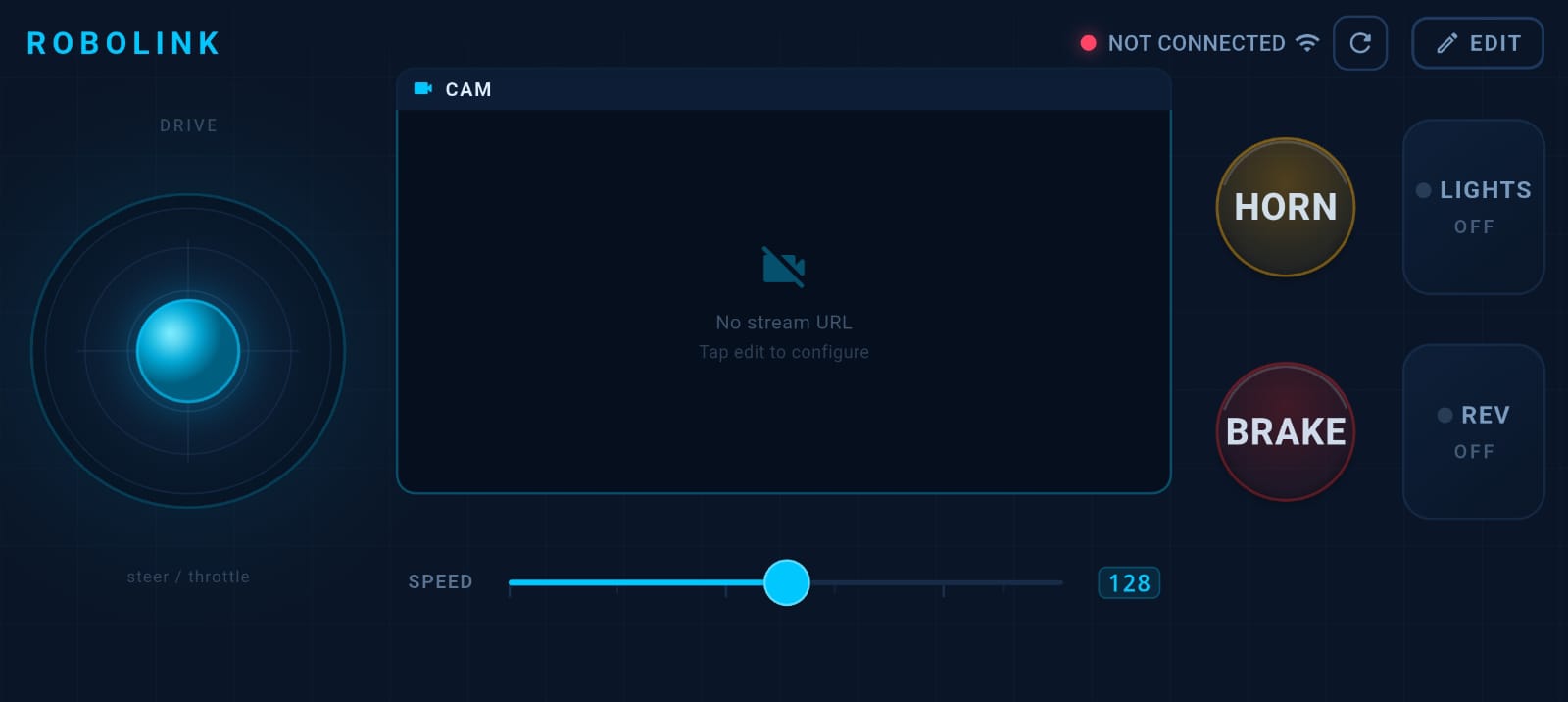
RC Car Controller 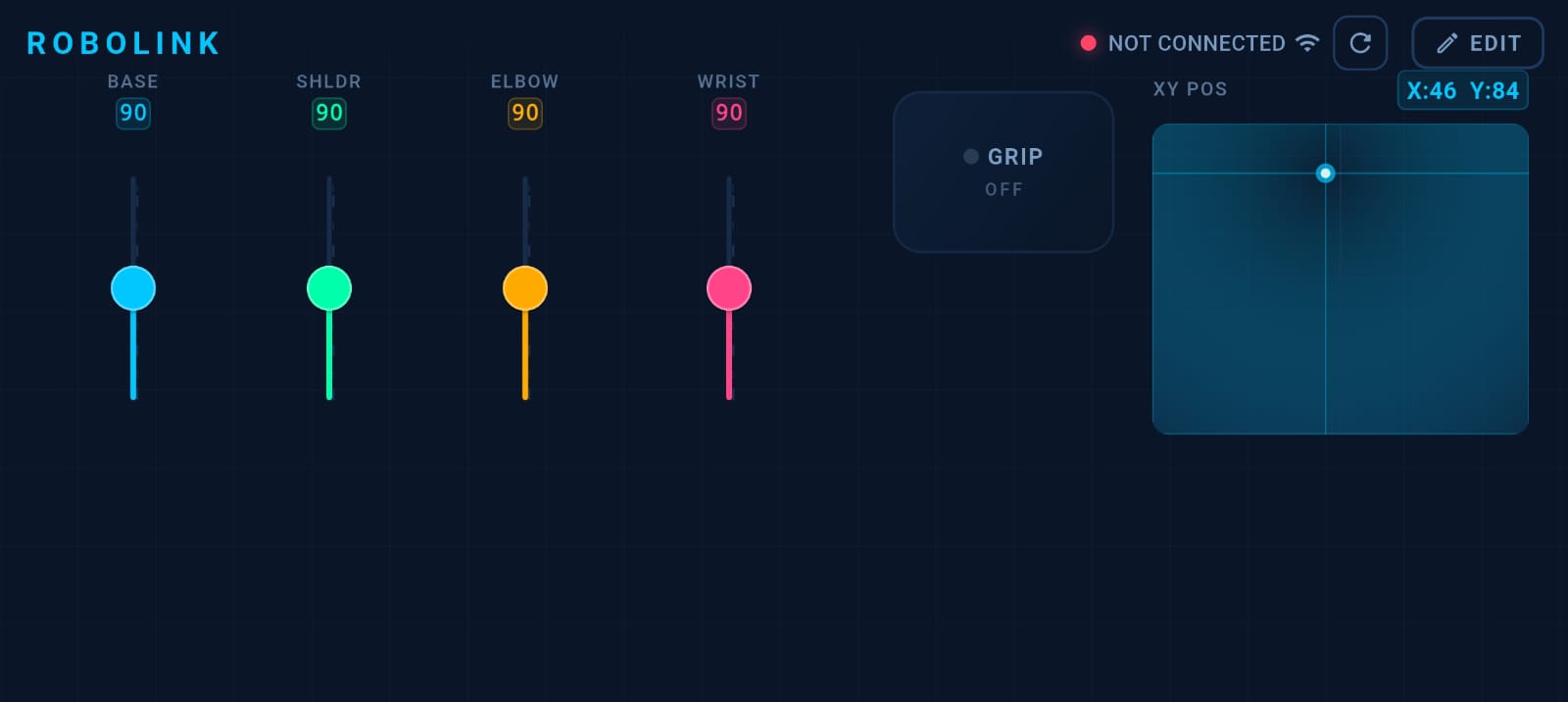
Robotic Arm Controller 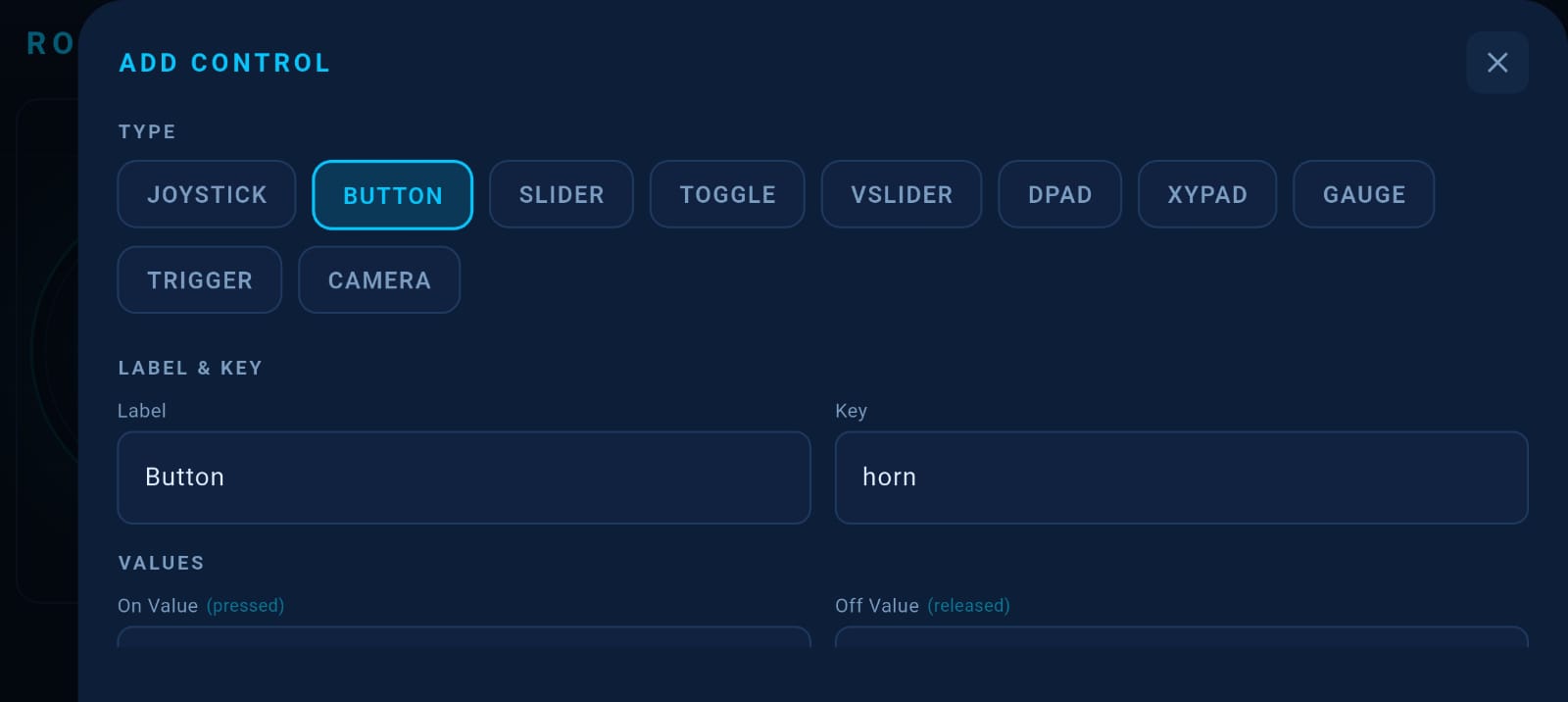
Widget Editor
Connectivity & Presets
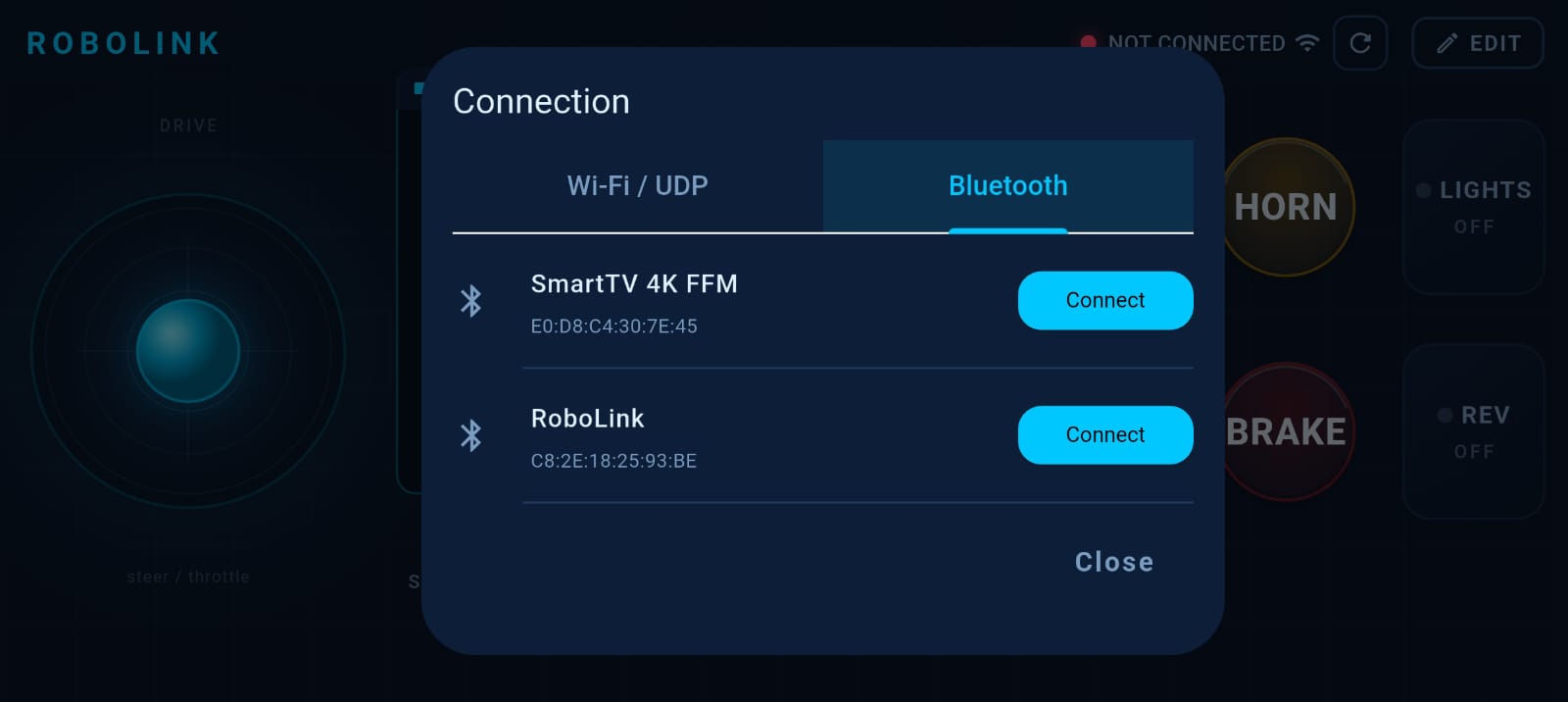
Bluetooth Connection 
Wi-Fi Connection 
Layout Presets
Stack
- Platform
- Android (iOS coming soon)
- Framework
- Flutter
- Hardware
- Dozens of Arduino boards
- Transport
- Wi-Fi UDP + Bluetooth Classic
BD Vote